
Publishing a project is the operation by which a completed model is made available to users. Unlike saving, which is intended for collaboration between developers, publishing exposes the project in the Indyco Explorer interface where it can be browsed in read-only mode.
How to publish a project
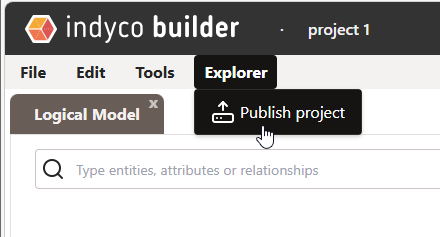
To publish a project, open the Explorer menu in the toolbar and select Publish project. Once published, the project will appear in the Indyco Explorer home page and will be accessible to users with the appropriate view permissions.
Published projects on the home page
On the Indyco Explorer home page, published projects are organized into two distinct sections:
- Conceptual projects: projects created with the conceptual builder (Indyco Builder desktop).
- Logical projects: projects created with the web builder for logical modeling.
Published projects are displayed in read-only mode. No edits can be made from the viewer. To modify a published project, you have to reopen it in logical builder, edit it, and publish it again.